
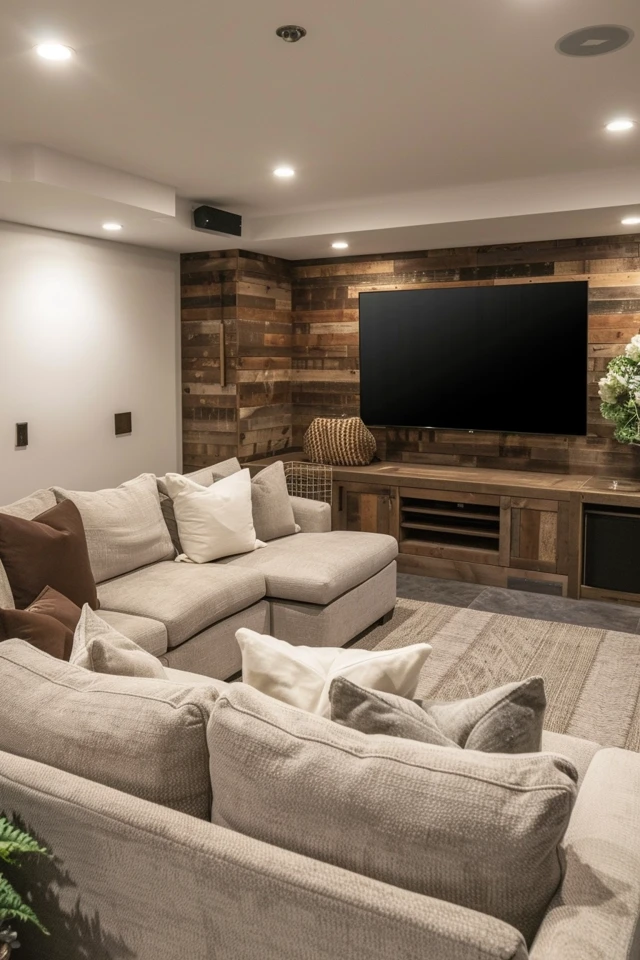
5 Tips for Designing Basement 3 TV Wall Ideas
Creating a multi-screen media wall in a basement is the ultimate upgrade for sports enthusiasts, dedicated gamers, and families who love to host. It transforms a standard subterranean space into a professional-grade command center that rivals the best sports bars in the city. However, mounting three screens on a single wall requires more than just a few brackets and some HDMI cables; it demands a strategic approach to scale, electrical planning, and visual balance.
To help you visualize the perfect configuration for your own home, please remember that we have curated a comprehensive 3 TV wall design inspiration gallery located at the very end of this article. Whether you are dealing with a cramped corner or an expansive open-concept walk-out, these tips will ensure your triple-threat entertainment hub is as functional as it is breathtaking.
At-a-Glance: Key Takeaways
- Consistency is Key: For the most cohesive look, use the same brand and model for the two flanking TVs to ensure color profiles and bezel widths match perfectly.
- Height Matters: The center of the primary screen should sit at eye level when seated, which is typically 42 inches from the floor for standard sofa heights.
- Cable Management: Plan for in-wall conduits or a custom-built bump-out wall to hide the “spaghetti” of wires that three screens inevitably create.
- Audio Logic: Use a dedicated soundbar or surround system for the main screen and utilize wireless headphones or modest localized speakers for the secondary displays.
- Lighting Control: Basements are prone to reflections; incorporate matte finishes on the wall behind the TVs and use dimmable “bias lighting” to reduce eye strain.
What This Style Means (and Who It is For)
The 3 TV wall, often referred to as a “sports book” or “media matrix” layout, is designed for high-intensity consumption. It is the antithesis of the minimalist living room. In this space, the goal is “more is more.” It is specifically designed for people who do not want to choose between the big game, the breaking news, and a secondary game or a video game session.
This setup is ideal for homeowners with a finished basement that serves as a secondary retreat. Because basements often lack natural light, they are the perfect environment for controlled theater setups. If you find yourself constantly switching channels during the NFL season or if your kids argue over who gets to use the big screen for their console, this design is for you. It is a functional solution for modern multitasking households that value high-tech leisure.
The Signature Look: Ingredients That Make It Work
A successful 3 TV wall looks intentional, not cluttered. To achieve a professional “designer” look, you need to think about the wall as a singular architectural feature rather than just three separate objects hung near each other. The signature look relies on three main ingredients: symmetry, background texture, and integrated technology.
Symmetry provides the visual anchor. Most designers prefer a “T-shape” or a horizontal line. In the T-shape, one large primary screen (65 to 85 inches) is centered, flanked by two smaller screens (43 to 55 inches) positioned slightly higher or lower. Alternatively, three identical screens placed side-by-side create a “monitor wall” aesthetic that feels very modern and sleek.
The background material is what elevates the project. Instead of plain drywall, consider a dark accent color, wood slat panels, or even a stone veneer. These textures provide a “frame” for the technology. Finally, integrated technology means that no wires are visible, and the mounting hardware is as slim as possible. Ultra-thin “picture frame” mounts are popular for this reason, as they allow the screens to sit nearly flush against the wall.
Layout & Proportions (Designer Rules of Thumb)
Designing a multi-screen wall requires precise measurements. If you are off by even half an inch, the human eye will detect the misalignment immediately, making the whole setup feel “off.”
- The Golden Ratio of Spacing: Keep the gap between the TV bezels consistent. A gap of 1 to 2 inches is usually ideal. This is just enough space to allow for heat dissipation while keeping the screens close enough to feel like a single unit.
- Mounting Height: The most common mistake is mounting the TVs too high (the “TV over the fireplace” syndrome). The center of the primary screen should be between 42 and 48 inches from the floor. The side screens should align with the horizontal centerline of the main screen.
- Viewing Distance: For a triple-screen setup, you need to sit further back than you would for a single screen to avoid neck strain. A good rule of thumb is to sit at a distance equal to 1.5 to 2 times the width of the entire 3-TV array.
- Seating Width: Ensure your sofa or theater seating is wide enough so that people on the ends still have a clear view of the furthest screen without extreme horizontal angles.
Designer’s Note: I once worked on a project where the client insisted on placing three 75-inch TVs in a 12-foot-wide room. It felt like sitting in the front row of an IMAX theater—overwhelming and uncomfortable. Always scale your TVs to the wall. If your wall is 10 feet wide, a 65-inch center with two 43-inch sides is the “sweet spot” for balance.
Step-by-Step: How to Recreate This Look
1. Map the Wall: Use blue painter’s tape to mock up the exact dimensions of your three TVs on the wall. Sit in your actual furniture to test the height and viewing angles before you drill a single hole.
2. Plan the Power: You will need at least six power outlets (three for TVs, three for peripherals like cable boxes or consoles). I recommend installing a recessed “media box” behind the center TV to house the plugs and excess cords.
3. Reinforce the Studs: Three TVs plus mounts can weigh over 150 pounds. If your studs don’t align with your desired layout, install a 3/4-inch plywood backer board over the studs, paint it to match the wall, and then mount your TVs to the plywood.
4. Install the Mounts: Start with the center mount. Use a laser level to ensure it is perfectly straight. Once the center is up, measure outward to place the flanking mounts. Double-check your vertical alignment multiple times.
5. Cable Routing: Run HDMI cables through the wall using brush plates or PVC conduit. Label both ends of every cable (e.g., “Left TV – Xbox,” “Center TV – Apple TV”) so you aren’t guessing later.
6. Screen Calibration: Once the TVs are on the wall, go into the settings of each. Set them to the same “Movie” or “Cinema” mode and adjust the brightness so they look identical. Nothing ruins the look faster than one screen being significantly bluer or brighter than the others.
Budget Breakdown: Low / Mid / Splurge
The Budget-Friendly Approach ($1,500 – $2,500)
At this level, you are looking at three entry-level 4K LED TVs (perhaps a 65-inch and two 50-inch models). Use fixed wall mounts rather than articulating ones to save money. For the wall, a simple dark paint job (matte charcoal or navy) creates a high-end look for the cost of a gallon of paint. Use external cord covers painted the same color as the wall if you cannot go behind the drywall.
The Mid-Range Choice ($3,500 – $6,500)
This budget allows for mid-tier QLED screens with better refresh rates (120Hz), which is essential for sports. You can invest in professional in-wall wiring and perhaps a custom “ledge” or floating cabinet underneath to hold your components. At this level, you should also add LED bias lighting strips behind each TV to create a soft glow that makes the screens pop.
The Splurge Experience ($10,000+)
Here, you are looking at OLED technology for the ultimate black levels and contrast. Use “flush mounts” that keep the TVs less than an inch from the wall. The wall itself might be covered in custom walnut slats or floor-to-ceiling porcelain slabs. You would also integrate a professional control system (like Control4 or Savant) that allows you to swap audio sources between the three TVs with a single button on a remote or tablet.
Common Mistakes (and How to Fix Them)
Mistake: Mixing TV Brands
Even if you buy three “4K TVs,” different brands have different color processing. One might look “warm” (yellowish) while the other looks “cool” (blueish).
The Fix: Always buy the same brand for all three, or at the very least, the same brand for the two smaller flanking TVs. This ensures the bezels and color science are consistent.
Mistake: Ignoring Audio Interference
If all three TVs are playing audio simultaneously, it creates a chaotic wall of noise that is impossible to enjoy.
The Fix: Designate the center TV as the “Primary Audio.” Connect it to your main speakers. For the side TVs, use “Bluetooth Audio” settings to connect to wireless headphones for people who want to listen to a secondary game without disturbing others.
Mistake: Visible Wires
A 3 TV wall has at least six wires (3 power, 3 HDMI). If they are hanging down, it looks like a college dorm room.
The Fix: Use a recessed media box or build a “false wall” 4 inches in front of your basement foundation wall. This creates a cavity where all the clutter can live out of sight.
Room-by-Room Variations
The “Sports Bar” Corner
If your basement has a bar area, don’t put the TVs on the main wall. Instead, tuck them into the corner behind the bar. Use articulating mounts so the screens can be angled toward the bar stools. This creates an intimate, social vibe perfect for hosting game day parties.
The “Gamer’s Den” Symmetrical Row
For a more modern, tech-focused look, mount three identical 55-inch TVs in a perfect horizontal row. This is ideal for PC gaming or for families with multiple children who want to play different consoles at the same time. This layout works best on a long, unobstructed wall.
The Small-Space “Floating” Wall
In smaller basements, a full-size 3 TV wall can feel claustrophobic. To fix this, use smaller screens (e.g., one 55-inch and two 32-inch). Mount them on a “floating” panel made of wood or upholstered fabric that is slightly smaller than the wall itself. This creates “breathing room” around the edges and makes the space feel larger.
Finish & Styling Checklist
Once the hardware is installed, you need to “dress” the wall to make it feel like part of your home. Use this checklist for the finishing touches:
- Matte Paint: Ensure the wall behind the TVs is painted in a matte or flat finish. Semi-gloss or eggshell finishes will reflect the light from the screens, creating distracting “hot spots.”
- Integrated Shelving: Add a long floating shelf below the TVs to ground the design. This is a great place for a few pieces of decor or your center-channel speaker.
- Acoustic Panels: Basements often have echo issues. Use decorative felt or fabric acoustic panels on the side walls to absorb sound and improve the audio quality of your new setup.
- Dimmable Zones: Install recessed “can” lights on a separate dimmer switch from the rest of the basement. This allows you to black out the TV area while keeping the rest of the room lit for snacks and movement.
- Hidden Components: If possible, move your cable boxes, consoles, and receivers to a ventilated closet or a cabinet at the side of the room. Use an IR repeater or a Bluetooth remote to control them through the walls.
What I’d Do in a Real Project: Mini Checklist
- Measure the wall width and divide by 2 to find the exact center.
- Buy “Active HDMI” cables if the run is longer than 15 feet to ensure no signal loss.
- Install a surge protector power strip inside the wall box to protect the expensive electronics.
- Use a laser level—not a spirit level—for the bracket installation.
- Test all three TVs on the floor for 24 hours (a “burn-in” period) before mounting them to ensure no pixels are dead.
- Ensure the seating is at least 8 to 10 feet away for a triple-screen array.
FAQs
Do I need 4K for all three TVs?
Ideally, yes. Even if the side TVs are only used for news or stats, a 1080p screen next to a 4K screen will look noticeably blurry. Since 4K TVs are now very affordable, it is worth the small extra investment for visual parity.
How do I prevent the basement from overheating?
Three TVs and a receiver generate a significant amount of heat. If your basement doesn’t have good airflow, consider installing a small, quiet “cabinet fan” in your media furniture or ensuring there is at least 2 inches of space between the TVs and the wall for natural convection.
Can I use a projector instead of three TVs?
You can use a projector to display one massive image, but “tiling” a projector to show three different sources is incredibly expensive and complicated. Three physical TVs are much more user-friendly and offer better brightness in rooms that aren’t 100% pitch black.
What is the best wall color for a 3 TV setup?
Deep, moody tones like Sherwin Williams “Iron Ore,” Benjamin Moore “Hale Navy,” or a dark forest green are best. These colors allow the bezels of the TVs to disappear into the background, making the images on the screen seem to float.
Conclusion
Designing a 3 TV wall for your basement is a project that balances high-tech engineering with interior design. By focusing on symmetry, managing your cables behind the scenes, and choosing the right scale for your room, you create a space that is both a functional powerhouse and a visual centerpiece. Remember that the goal is to enhance your entertainment experience, not to clutter your home. Take your time with the measurements, invest in quality mounts, and don’t be afraid to add texture to the wall to give it that “designer” touch. Once the last screw is tightened and the screens are calibrated, you’ll have the best seat in the house for every game, movie, and gaming session.
Picture Gallery


